If you are a sole trader or landlord, HMRC’s official sign-up service for Making Tax Digital for Income Tax is now the route every eligible taxpayer needs to go through, either voluntarily or before HMRC does it for you. We recently covered what happens if HMRC auto-enrols you from September 2026. This guide covers the other side of that story: exactly how to sign up properly yourself, using HMRC’s own current guidance, so you stay in control of your details from day one.
HMRC updated this guidance again on 24 August 2026, confirming what happens if you miss the window and adding a planned maintenance notice that anyone signing up soon should know about. Here is everything you need, in the order you need it.
Who Needs to Sign Up
You must use Making Tax Digital for Income Tax from 6 April 2026 if your total annual income from self-employment and property, before expenses, was over £50,000 on the tax return you submitted for the previous year. This is known as your qualifying income.
The threshold drops over the next two years. From 6 April 2027, anyone with qualifying income over £30,000 must join. From 6 April 2028, that drops again to £20,000.
If your qualifying income sits below the current threshold, you are not required to sign up yet, but you can still choose to join voluntarily. More on that below.
Before You Start: Two Requirements You Must Meet
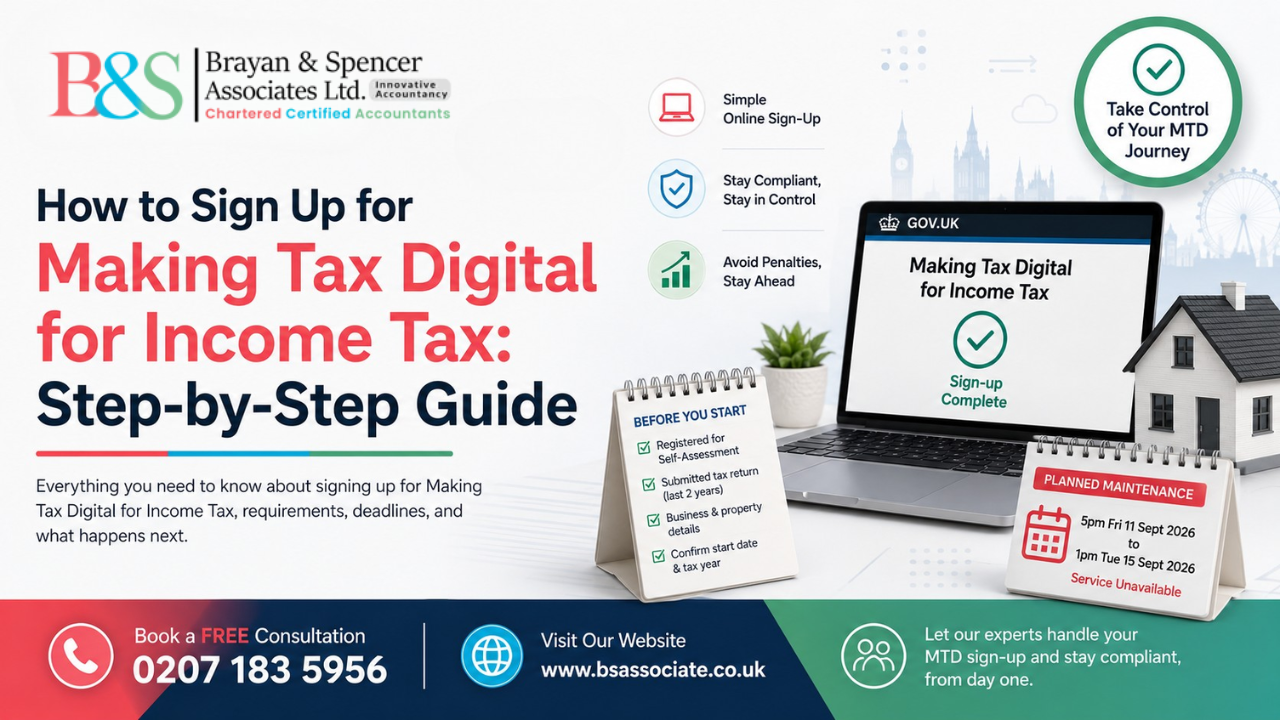
To use the sign-up service at all, you must already be registered for self-assessment and have submitted a tax return within the last two years. If either of those is not true, you will need to sort that out first before HMRC will let you sign up.
It is also worth checking whether you might be exempt. HMRC allows exemptions in specific circumstances, such as digital exclusion or certain religious grounds. If you are exempt, you do not need to sign up at all, and it is worth confirming this before you spend time setting anything up.
What You’ll Need Before You Sign Up
Gather the following before you start the online process, so you are not searching for details halfway through:
- Your business start date, or the date you began receiving property income, if this falls within the last two tax years
- Confirmation of which tax year you intend to start using Making Tax Digital for Income Tax
- If you’re a sole trader: your business name as it appears on your invoices, your business address, and a description of your trade
- If you have more than one self-employment income source or property business, details for each one, since every source needs to be checked and added individually in the online service
You do not need to declare other income and gains, such as savings interest or dividends, in the sign-up service itself. Those get added later, directly into your compatible software, before you submit your tax return.
How to Actually Sign Up
You will sign in using the same Government Gateway user ID and password you already use for self-assessment. There is no separate account to create from scratch.
During the process, HMRC may ask you to verify your identity further. This typically works one of two ways: using an app on your phone to match a photo of your face against your passport or driving licence, or answering security questions based on information HMRC already holds about you, such as details from a recent payslip, your P60, a passport, or your self-assessment history.
If you use an accountant or agent, they can complete this entire process on your behalf using their agent services account, so you do not need to log in and do it yourself.
One thing to check before you go through this: HMRC has confirmed planned maintenance on the sign-up service from 5pm on Friday 11 September 2026 until 1pm on Tuesday 15 September 2026. You will not be able to sign up during that window, so plan around it if you were intending to register that week.
Signing Up Voluntarily
If your income is below the current threshold, you can still sign up early to get familiar with the system before it becomes mandatory for you. You can choose to start for the current tax year or the next one.
There is one practical catch worth knowing. If you sign up voluntarily partway through a tax year, you will need compatible software in place to send any quarterly updates you have already missed for that year so far. It is generally simpler to time a voluntary sign-up to the start of a tax year if you can.
Anyone signing up voluntarily should also read HMRC’s separate guidance on penalties for volunteers, since the rules differ slightly from those applying to people who are mandated into the system. HMRC will contact you directly to confirm when penalty liability begins after you’ve signed up.
What Happens If You Don’t Sign Up
This is the part HMRC updated most recently. From September 2026, HMRC will start signing up anyone who needs to use Making Tax Digital for Income Tax for the 2026/27 tax year and has not registered themselves. If this happens to you, HMRC populates your details using information from your last submitted tax return, which may not reflect any changes to your circumstances since then.
The practical difference matters. When you sign up yourself, you control the description of your business, your business address, and every other detail that appears in your MTD record. If HMRC signs you up on your behalf and something needs correcting, you cannot fix it online. You will need to contact HMRC directly, which takes longer and adds friction at exactly the point you’re trying to get software connected and records in order.
We’ve covered the auto-enrolment process itself, including the three most common situations people find themselves in, in our detailed guide: HMRC MTD Auto-Enrolment: What You Must Do Now.
Penalties: What Changes and What Doesn’t
If you’re required to use Making Tax Digital for Income Tax from 6 April 2026, HMRC will not apply penalty points for late quarterly updates during this first tax year, 2026/27. This soft landing does not extend to your final declaration or to your tax bill. Penalties for a late final declaration and interest for late payment still apply in full from day one.
After You Sign Up
Signing up registers you in HMRC‘s system, but it is only the first step. You still need to choose HMRC-compatible software, since HMRC does not provide any software itself. Once chosen, you will authorise that software using the same Government Gateway details, connect it to your bank feed, and begin creating digital records from the start of the relevant tax year.
Our taxation services team can manage this entire setup on your behalf, from initial sign-up through to software authorisation and your first quarterly submission, so nothing falls through the gaps between registering and actually becoming compliant.
Get Your MTD Sign-Up Done Properly
Signing up correctly, with accurate details and the right software from the start, saves considerably more time than correcting an HMRC-initiated registration later. If you’re a sole trader or landlord in London approaching the £50,000 threshold or want to volunteer early to get ahead of it, we can handle your full sign-up and setup.
Book a free consultation or get in touch today and get registered on your own terms.
Browse more guidance in our Making Tax Digital blog category.
Frequently Asked Questions
Sole traders and landlords with qualifying income over £50,000, based on their previous tax return, must sign up from 6 April 2026. The threshold drops to £30,000 from April 2027 and £20,000 from April 2028.
You need to be registered for self-assessment, have submitted a tax return in the last two years, and have your business start date, business details, and confirmation of which tax year you’ll begin, ready to enter into the online service.
Yes. You can volunteer to sign up early for the current tax year or the next one, which is a useful way to get familiar with the system before it becomes mandatory for you.
You use the same Government Gateway user ID and password you already use for self-assessment. There is no separate account required.
From September 2026, HMRC will begin signing up for anyone who is required to use the service and has not registered themselves. Registration itself does not carry out a penalty, but you will still need to become fully compliant, and existing penalty rules for late quarterly updates, final declarations, and late payment continue to apply.