Quick Answer
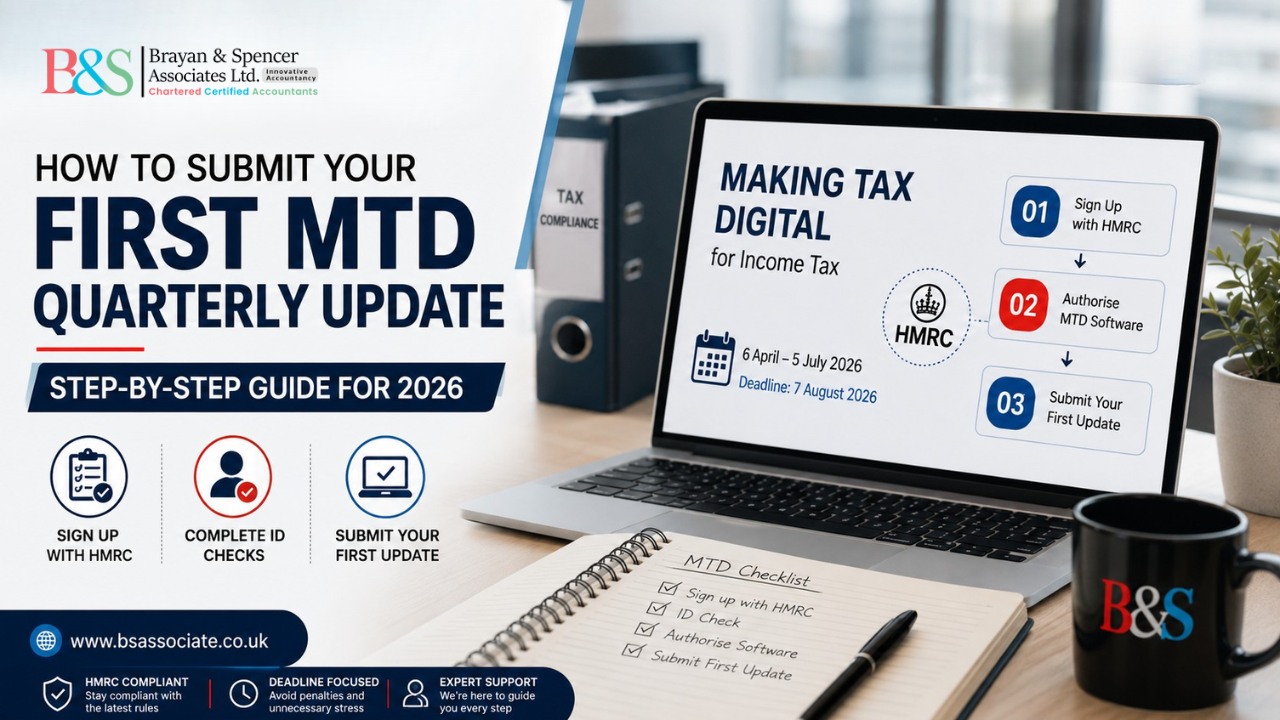
Your first MTD quarterly update covers 6 April to 5 July 2026 and is due by 7 August 2026, but you cannot submit anything until two earlier steps are done: signing up with HMRC (which has its own eligibility rules beyond the £50,000 income threshold) and authorising MTD-compatible software to connect to your HMRC account. Both stages involve their own identity checks. This guide covers all three stages in order, using HMRC’s current published guidance rather than a generic software tutorial.
You Got a Letter From HMRC. Now What?
If your qualifying income from self-employment and property was over £50,000 on your 2024/25 tax return, HMRC has likely already written to you directly to confirm you need to use Making Tax Digital for Income Tax from 6 April 2026. That letter is a notification, not an instruction to act immediately, and it doesn’t mean you’re automatically enrolled. You still need to complete sign-up yourself, or through us as your agent, before anything can be filed.
If you didn’t receive a letter but believe your income puts you over the threshold, the responsibility to check and sign up sits with you, not HMRC. Waiting for a letter that HMRC has no record of sending you is one of the most common, and entirely avoidable, reasons people miss their first deadline. Our guide on Making Tax Digital for Income Tax from April 2026 explains how to confirm your qualifying income properly.
Why You Might Be Blocked From Signing Up at All
The income threshold isn’t the only condition. HMRC’s sign-up service also requires that you already have an active Self Assessment registration and have filed a return within the past two tax years. This is where a genuine gap shows up: someone newly self-employed, whose income is comfortably over £50,000 but who hasn’t yet had a first Self Assessment return come due, cannot complete sign-up yet, regardless of how far over the threshold they are. If this applies to you, the fix isn’t to wait, it’s to get your Self Assessment position sorted first so sign-up becomes possible.
What Actually Counts Toward Your £50,000, and What Doesn’t
Qualifying income is your gross turnover from self-employment and property combined, before expenses, based on your most recently filed return. One detail that trips people up: if you receive a share of profit from a partnership as an individual partner, that share does not count toward your qualifying income for MTD purposes, and you don’t need to keep MTD digital records for it. You will, however, still need to add it as a separate income source when you come to submit your tax return through your software. Mixing this up with your sole trade or rental figures is a common, and unnecessary, complication at sign-up.
Two Identity Checks, Not One
Most guides mention that HMRC verifies your identity during sign-up. Fewer mention that a second, separate identity check happens later, when you authorise your chosen software to connect to your HMRC account.
At sign-up, you’ll either use a smartphone app to match a photo of yourself against your passport or driving licence, or answer identity questions based on information HMRC already holds, drawn from sources such as your credit reference file, a recent P60, or a past payslip.
Later, when you link your software to HMRC so it can actually transmit your quarterly updates, you go through a separate authorisation step tied to your Government Gateway credentials. Treating these as the same one-off task is why some people think they’re ready to file the moment sign-up finishes, only to find their software still isn’t connected.
Choosing Software That Actually Fits Your Situation
HMRC doesn’t sell or provide MTD software itself, so this choice sits with you. Before picking anything, it’s worth knowing what HMRC’s own software-finder tool actually asks, because it reflects what genuinely affects which product will work for you:
Which of your income sources need to be covered, specifically self-employment, UK property, or foreign property, since not every product supports all three equally well. Whether you have other income to report alongside these. Whether you want to start fresh digital records or connect the software to books you’re already keeping. And your accounting period, since some software only supports tax-year quarters while others also handle calendar-month quarters if you’re already MTD-registered for VAT.
Landlords and sole traders managing more than one income stream, common among London-based consultants with a rental property on the side, should check this before committing, since switching software part way through the year adds friction you don’t need during your first few quarters.
Submitting the Update Itself
Once sign-up and software authorisation are both genuinely complete, the update itself is the shortest part of the whole process.
Confirm the reporting period your software has selected. It should default to 6 April to 5 July 2026 for this first update, but check it, particularly if you signed up partway through the tax year.
Make sure your digital records for the full period are complete and correctly categorised. Anything left unsorted either gets excluded or dumped into a generic category, which distorts what HMRC actually sees.
Review the totals your software generates before sending. You’re looking at category summaries, income and expenses, not individual transactions, so this is your last real chance to catch something miscategorised.
Submit directly through the software. There’s no separate HMRC web portal for this step; the submission goes through your software’s connection to HMRC, and you’ll receive a confirmation once it’s gone through.
Check your estimated tax position afterwards. HMRC makes a running estimate available in your software or your HMRC online account once the update lands, which is genuinely one of the more useful parts of the new system if you actually look at it.
Your First Submission Doesn’t Have to Be Perfect
Quarterly updates are cumulative by design. If your first submission contains an estimate or a figure you’re not fully confident in, it can be corrected in a later update or at your Final Declaration rather than requiring you to resubmit the original quarter. This matters because waiting for perfect figures before submitting anything is a common reason people miss the deadline entirely, when submitting a reasonable estimate on time would have been the better move.
What If Your Circumstances Change Mid-Year?
If you stop trading, start a new income source, or your qualifying income situation changes after you’ve signed up, HMRC’s guidance treats this as an active update you need to make, not something that resolves itself automatically. Leaving your MTD record out of step with your actual circumstances tends to surface as a mismatch later, usually at the least convenient point, your Final Declaration.
The Penalty Points System, Properly Explained
A late quarterly update or a late tax return each add a single penalty point to your record, and reaching four points within the relevant window triggers an automatic £200 fixed penalty. Late tax payments sit outside this points system entirely and are penalised through their own separate route. For the 2026/27 tax year specifically, HMRC has confirmed quarterly updates won’t accrue penalty points, but that easement does not cover your tax return or your payment deadlines, both of which remain fully penalty-bearing on their normal dates. For the fuller cost picture, including what a rushed first quarter can cost beyond penalties, see our piece on what a late or inaccurate first MTD update could cost you.
If You Genuinely Cannot Use Digital Software
An exemption route exists for people who cannot reasonably use digital tools, including on grounds of age, disability, location, or religious belief. It has to be actively applied for and approved by HMRC; it isn’t granted automatically because the transition feels difficult. If approved, you continue filing an annual Self Assessment return, though that route still carries its own late-filing penalties on its usual deadlines.
Why This Gets More Complicated for London Sole Traders and Landlords
London’s self-employed population skews heavily toward mixed-income situations, a consultancy alongside a buy-to-let, several tenancies across different boroughs, or freelance work layered with a property portfolio. Each income source has to be individually confirmed at sign-up and run through its own submission cycle from that point forward. The friction here shows up at sign-up and software setup far more often than at the actual filing button, which is exactly the stage most other guides skip past.
Get It Done Properly, First Time
At Brayan & Spencer Associates, our team works through sign-up, identity verification, software authorisation, and your first submission for clients across London every quarter, rather than leaving you to piece together HMRC’s guidance yourself. We provide MTD-compatible software as part of our service at no extra cost, connected and configured for your specific income sources from day one.
Call Brayan & Spencer Associates on 0207 183 5956 or visit www.bsassociate.co.uk to get set up correctly before 7 August 2026. You can also browse our full Making Tax Digital blog category for related guidance.
Frequently Asked Questions
Yes, eventually, but the letter itself doesn’t enrol you automatically. You still need to complete sign-up, which has its own eligibility conditions separate from the income figure in the letter.
Sign-up also requires an active Self Assessment registration and a return filed within the last two years. Newly self-employed people sometimes fall into this gap even with high income.
No. A partner’s individual profit share doesn’t count toward qualifying income for MTD and doesn’t need MTD digital records, though it still needs to be reported separately on your tax return through your software.
Sign-up and software authorisation are two separate steps, each with its own identity check. Your software needs to be specifically connected to your HMRC account before it can transmit anything.
You need to update your MTD position to reflect it, such as a new income source or a business that’s ceased. This doesn’t resolve itself automatically and can create a mismatch at your Final Declaration if left unaddressed.
Four points within the relevant window trigger an automatic £200 fixed penalty. Quarterly updates won’t accrue points during 2026/27, but your tax return and payment deadlines are unaffected by that easement.